



Mar 16-19, 2026Las Vegas, Nevada, NV
SAP Business Intelligence
Featured Insiders
Upcoming Events
SAPinsider Las Vegas 2026
Related Vendors


What is Business Intelligence (BI)?
The end-to-end process of BI pertains to analyzing the data generated by businesses, transforming the data into insights, and then leveraging those insights into making optimal decisions. BI tools primarily leverage “descriptive analytics,” as these tools traditionally focus on analyzing the current and historical performance based on data generated by the enterprise.
What is Business Intelligence (BI)?
The end-to-end process of BI pertains to analyzing the data generated by businesses, transforming the data into insights, and then leveraging those insights into making optimal decisions. BI tools primarily leverage “descriptive analytics,” as these tools traditionally focus on analyzing the current and historical performance based on data generated by the enterprise.
Sap BI Tools
SAP BusinessObjects is among the most widely used centralized BI tools that provides organizations the ability to perform reporting, create visualizations and generate real-time BI. BusinessObjects is the on-premises BI layer for SAP’s Business Technology Platform (BTP). SAP Analytics Cloud is another analytics related solution from SAP. It is currently the flagship analytics tool that SAP positions as an enterprise analytics tool. It encompasses all the analytics capabilities that Business Objects has to offer and much more.
In addition to these tools, there is a wide portfolio of third part BI tools available from SAP partners like Pyramid Analytics
Key Considerations for SAPinsiders
- Build a foundational analytics culture: While SAP sees the future of analytics in the cloud, primarily in the form of SAP Analytics Cloud (SAC), BI tools like BusinessObjects provide a great opportunity to fine-tune the “data-driven culture” aspect of your organization. Success with analytics tools is more about the capability to assimilate, absorb and leverage the tool in day-to-day decision making and less about the tool itself (Source: SAPinsider research “Analytics in The Cloud”)
- Document BI tools in action: A powerful way to capture the value BI tools deliver is to document use cases generated by business users and share these across the organization to promote the penetration of not only the tool but the culture of data-driven way to run the business. You can find examples of BusinessObjects use cases on leading platforms like SAPinsider and SAP blogs.
- Understand the transition to cloud roadmap: There is no doubt that SAP BusinessObjects Enterprise has amassed an immense userbase. However, as the need for business intelligence evolved, SAP created a new Software-as-a-Service (SaaS) product in SAP Analytics Cloud. SAP has made it clear that the ultimate go-forward solution for SAP BusinessObjects Enterprise users is SAP Analytics Cloud. Many SAP BusinessObjects customers have yet to move to SAP Analytics Cloud, and it is therefore imperative that they start planning on this transition strategy. Read more about what product leaders at SAP have to say about this journey to the cloud.
75 results

BI & HANA: Case study: Architecting data for self-service BI — How American Red Cross leveraged dimensional modeling techniques alongside the information design tool to achieve successMar 1, 2019 — Find out how the American Red Cross overcame architectural data challenges specifically associated with deploying self-service BI to a portion of its 6,000 users nationwide. here Ken Coleman If you have comments about this article or publication, or would like to submit an article idea, please contact the editor.
1 minute read

BI & HANA: Case study: How the City of Chicago uses BI on BI to improve metadata management, increase security, and save moneyMar 1, 2019 — Find out how the City of Chicago leverages SAP BusinessObjects BI to secure and manage its metada drawn from sources in various departments. here Dariusz Zyskowski If you have comments about this article or publication, or would like to submit an article idea, please contact the editor.
1 minute read

SAP BI And SAP HANA Collection 2019Dec 13, 2018 — Harnessing BI and analytics solutions requires a unique blend of critical thinking, strategic vision, and technical chops. How do you know if your company (and you!) have what it takes?SAPinsider has assembled a nine popular articles on SAP BI and SAP HAN
1 minute read

Transforming Business in the Era of IntelligenceOct 8, 2018 —
With the promise of the Intelligent Enterprise, SAP is charting a roadmap to support companies on their digital journeys to turn data into insight and revenue opportunities. Partners are key in helping to support this journey by building, extending, and integrating next-generation cloud applications that contribute to the intelligent suite, which rests on the digital core of SAP S/4HANA in concert with SAP Cloud Platform and the SAP Leonardo portfolio. In this article — the first in a series of five — Diane Fanelli explains the Intelligent Enterprise: what it means, why it’s important, and what SAP and its partner community are doing to help the enterprise take the business to the next level.
3 minute read
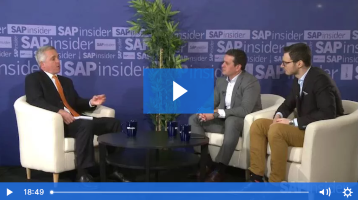
Live from SAPinsider Studio: Ivo Bauermann and Gerrit Kazmaier from BI-HANA 2018Mar 26, 2018 — SAPinsider BI-HANA 2018 keynote speakers Ivo Bauermann and Gerrit Kazmaier join SAPinsider Studio to recap their keynote presentation. Topics covered include SAP Analytics Cloud and why it’s so important for a digital enterprise to have business intelligence, planning, and predictive reside in the same application.
1 minute read
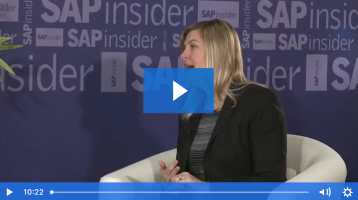
Live from SAPinsider Studio: Jayne Landry on SAP’s BI RoadmapMar 26, 2018 — Jayne Landry, SAP Global VP of Product Management for SAP Analytics and SAP Leonardo, joins SAPinsider Studio at the 2018 BI-HANA event to discuss SAP’s BI strategy. Topics include SAP Analytics Hub and how a hybrid cloud approach for consuming analytics drives a culture of innovation; a pilot project for hybrid licensing with a single […]
1 minute read
User Adoption Can Make or Break a ProjectNov 7, 2017 —
When SAP customers struggle with the implementation of a new business intelligence (BI) tool, it’s rarely because of the tool itself. In most cases, the issue is user reluctance to adopt the technology — users will only use a new BI tool if they are certain that it serves their needs. Learn about a six-step methodology that provides systematic and repeatable best practices for increasing end-user adoption and ensuring a successful BI implementation.
2 minute read

Creating an SAP BusinessObjects Multi-Source Universe: A Step-by-Step GuideNov 2, 2017 —
With the exponential growth of data from multiple sources, using conventional methods for extracting it is time-consuming, costly, and resource intensive. SAP has simplified Multi-Source Universes in SAP BusinessObjects 4.0 as an answer to this issue. Created with the Information Design Tool (IDT), a Multi-Source Universe can combine data from SAP Business Warehouse (SAP BW) with other relational databases, such as Oracle and SQL Server. See how to create a Multi-Source Universe in this step-by-step guide.
15 minute read

Create an SAP BusinessObjects Multi-Source Universe – A Step-by-Step GuideNov 2, 2017 — With the exponential growth of data from multiple sources, using conventional methods for extracting it is time-consuming, costly, and resource intensive. SAP has simplified Multi-Source Universes in SAP BusinessObjects 4.0 as an answer to this issue. Created with the Information Design Tool (IDT), a Multi-Source Universe can combine data from SAP Business Warehouse (SAP BW) […]
17 minute read

How to Configure and Explore Geographic Data Within Web Intelligence 4.2Sep 18, 2017 — Learn the basic concepts of SAP BusinessObjects Web Intelligence 4.2. With these easy step-by-step instructions, learn how to configure geographic data within a Web Intelligence 4.2 query so that geographical data can be displayed and analyzed within both a map and chart. Also learn how to configure state and city data fields for analysis. Key […]
9 minute read