

4 minute read
Meet the Authors
Key Takeaways
-
CData connects SAP environments to analytics, replication platforms, and AI tools through a range of integration components.
-
Standards-based drivers enable SQL access to SAP data across development and BI platforms.
-
The SAP MCP Server extends governed SAP connectivity into conversational AI workflows.
CData offers a broad portfolio of connectivity products for SAP environments. Its SAP lineup includes standards-based drivers, BI connectors, replication tools, automation components, and an MCP Server designed to connect AI clients to live enterprise data. Each serves a different audience and workload.
Viewed collectively, the portfolio reflects a layered approach to SAP data access. Drivers form the foundation, exposing data through familiar standards. Replication and data movement tools sit above it, followed by analytics and business integrations. An AI layer extends the connectivity model into natural language systems.
Standards-Based SAP Connectivity
The foundation of CData’s SAP portfolio is its standards-based driver layer. These components are designed to make SAP ERP and SAP S/4HANA systems accessible through interfaces that enterprise teams already use. Rather than requiring direct interaction with SAP APIs, the drivers present SAP data through familiar database standards.
Explore related questions
CData offers ODBC, JDBC, ADO.NET, Python, and PowerShell connectivity for SAP environments. Across these options, SAP tables can be queried using SQL, and core SAP objects are exposed in a relational format that other tools can understand. Developers work within the languages and frameworks they already know. Data engineers integrate SAP into existing pipelines without building custom connectors.
This layer operates behind dashboards, applications, scripts, and automation workflows. By turning SAP into a standards-addressable data source, the connectivity core enables the replication tools, analytics integrations, and AI interfaces that sit above it.
Controlled Data Movement and Replication
The next layer addresses controlled data movement and workload management across SAP environments. CData Sync and SAP ERP SSIS Components extend SAP data into databases, warehouses, data lakes, and cloud storage platforms.
These tools support incremental replication, scheduled jobs, and logging mechanisms that allow teams to move data. Workloads that are too heavy for direct live querying can be redirected into downstream systems designed for analytics or archival.
Automation tools such as SAP PowerShell Cmdlets, along with driver-level caching and replication features, also support these operational scenarios. Teams can script imports and exports, perform bulk updates, archive historical records, or offload queries that would otherwise compete with transactional activity inside SAP.
By supporting controlled replication and automation, CData helps organizations separate operational stability from analytical scale while keeping SAP as the system of record.
Analytics and Business Access to SAP Data
Once SAP data is accessible and, where necessary, replicated, the next layer focuses on how people use it. CData’s analytics connectors are designed to bring SAP data into familiar business and reporting environments.
The SAP Power BI Connector and SAP Tableau Connector enable live access to SAP data from leading BI platforms. These integrations support real-time querying, metadata discovery, and server-side processing features such as DirectQuery and pushdown operations. Analysts can build dashboards that reflect current transactional data.
The SAP Excel Add-In turns Excel into a live SAP client. Users can refresh data directly from SAP and, where appropriate, push approved updates back into the system. This reduces the need for copy-and-paste processes while keeping SAP as the authoritative source.
Python connectivity extends this layer into data science and advanced analytics use cases. Data scientists can pull SAP data into notebooks and DataFrames for analysis using familiar libraries such as pandas and SQLAlchemy.
Conversational Access with the SAP MCP Server
The CData SAP MCP Server is designed to connect AI clients to live SAP ERP and SAP S/4HANA data through Model Context Protocol (MCP).
Instead of building dashboards or writing SQL queries, users can submit business questions in natural language. An AI client such as ChatGPT, Copilot, or Claude connects through the SAP MCP Server, which retrieves data using the same governed connectivity foundation described earlier. Authentication and permissions follow existing SAP controls.
The SAP MCP Server builds on the driver and connectivity layers. Performance features such as query pushdown and parallel execution remain part of the architecture, helping ensure that conversational access remains consistent with enterprise workload expectations. Multiple MCP servers can also be deployed to blend SAP data with other enterprise systems, extending analysis beyond a single source.
This layer introduces a new interface to ERP data. Dashboards and spreadsheets remain in place. The CData SAP MCP Server adds conversational access on top of existing connectivity, replication, and analytics workflows.
What This Means for SAPinsiders
- SAP integration is moving closer to developers. Standards-based drivers broaden how SAP data can be accessed. Exposing ERP data through SQL, JDBC, ADO.NET, and Python makes it easier to incorporate SAP into existing development environments. This lowers reliance on SAP-specific interfaces and expands integration options.
- SAP data strategy is becoming interface-driven. The layered model reflects SAP operating as a shared data source accessed through BI tools, spreadsheets, automation scripts, and replication platforms. As these access points expand, architecture decisions increasingly focus on workload management and data control.
- AI access depends on existing data controls. The SAP MCP Server enables conversational access within established connectivity and permission models. AI tools retrieving live SAP data must operate within existing authentication and workload boundaries. In this context, AI becomes another interface layered onto ERP data.
More Resources
See All Related Content
How Generative UI Is Shifting Enterprise Software from Application to ExecutionEnterprise software is evolving towards generative UI systems that dynamically assemble data and actions at runtime, addressing fragmentation across multiple environments and shifting the focus from static interface design to the reliability of underlying data architecture and governance.

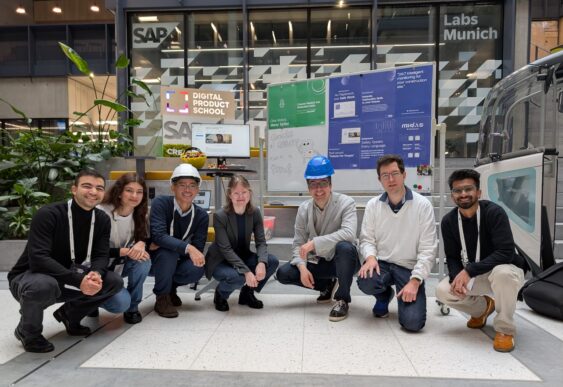
SAP, UnternehmerTUM Bringing Embodied AI to Shop FloorSAP's collaboration with UnternehmerTUM on the SafetyGuard prototype exemplifies the integration of embodied AI in operational processes to enhance workplace safety, streamline inspection workflows, and foster co-innovation for rapid prototyping, signaling a shift towards AI-native, robot-agnostic platforms within SAP's digital ecosystem.
3 minute read
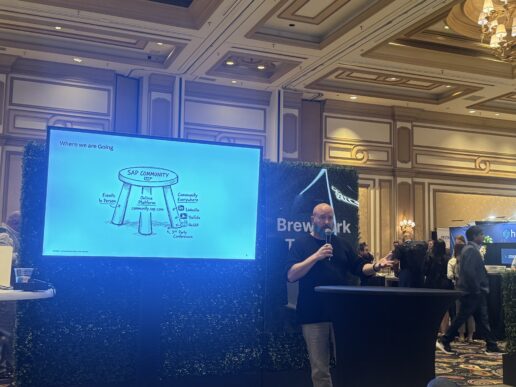
SAPinsider Las Vegas: AI Builds Confidence, but Community Still Defines CredibilityAt SAPinsider Las Vegas, Josh Bentley emphasized that while AI may boost user confidence in enterprise applications, true credibility still relies on human experience, as AI often provides shallow answers that lack depth and context, making community engagement essential for informed decision-making.
4 minute read