

1 minute read

Meet the Authors
Key Takeaways
What you need to know
Microsoft's Windows Protected Print Mode (WPP) will become the default setting by 2027, putting enterprise printing at risk, particularly for SAP users relying on Windows print servers.
WPP's compatibility is limited to Mopria-certified printers, posing a significant challenge for manufacturing and logistics sectors that depend on non-certified thermal printers, potentially disrupting essential workflows.
SAPinsiders need to insulate critical backend systems to mitigate risks associated with WPP by using centralized management platforms that bypass Windows systems for printing essential documents.
The world of enterprise IT is about to experience a seismic shift that is aimed squarely at printing, a process most organizations take for granted. As early as 2027, Microsoft plans to make Windows Protected Print Mode (WPP) the default setting for printing. The move is designed to bolster security by controlling how print drivers interact with the operating system. While this is a laudable goal, for large enterprises running SAP, it presents a critical and immediate challenge.
According to Guy Tucker, Solutions Architect at LRS Output Management, the stakes are incredibly high, and the worst-case scenario is unambiguous. He notes that the single biggest impact on SAP users could mean that it would take down all their enterprise printing.
This wouldn’t be limited to an employee being unable to print a spreadsheet. “Many core SAP processes rely on Windows print servers as their backend mechanism,” Tucker explained in an interview with SAPinsider. “This includes automated, business-critical workflows that generate everything from warehouse labels and shipping documents to invoices.”
Explore related questions
Ask SAPi
The Certification Issue
If the Windows print server running these jobs has WPP enabled unexpectedly, Tucker warns, “users are going to have a large problem for a couple of days.” A significant hardware gap compounds the problem.
Tucker highlights that WPP will only support Mopria-certified printers. This might seem manageable for standard office devices, but it’s a potential catastrophe for supply chain and manufacturing operations. As Tucker points out, “If you look at the Mopria certification list, you’ll find almost no thermal devices there of any kind.”
This is a critical disconnect for the thousands of businesses in the SAP manufacturing and logistics space, as they rely heavily on labels. A future where a pure WPP environment is the default could cause these essential, paper-based workflows to simply stop.
The Threat to SAP Users
The immediate threat is what happens when an OS update is installed. A user with administrative rights can enable WPP on their own machine, and as Tucker notes, “There doesn’t yet seem to be a group policy to prevent that.” This could inadvertently halt users’ ability to perform ad-hoc printing from the SAP GUI, a process that also relies on local Windows printing functionality.
This hardware incompatibility is just the first layer of the challenge. “Even with the right printer, a deeper technical issue lurks within the data stream itself, threatening the precise control SAP applications need over complex print jobs,” Tucker says.
In the second and concluding part of this interview, Tucker explores the hidden challenge of finishing options and outlines the first steps SAP users must take to prepare for the WPP update.
What This Means for SAPinsiders
Windows servers are now susceptible to paralyzing printing capabilities. The most immediate danger of WPP is that a user with admin rights can enable it today and unintentionally stop the printing capabilities for all users. For SAPinsiders, this means that both ad-hoc frontend printing and critical backend jobs routed through Windows print servers are now vulnerable, long before WPP becomes the mandatory default in 2027.
Organizations’ supply chains are particularly vulnerable. The core issue for SAP environments is WPP’s exclusive support for Mopria-certified devices. This directly threatens manufacturing and logistics operations that depend on non-certified thermal label printers for everything from production lines to shipping docks. A sudden inability to print labels means production stops, shipments are delayed, and revenue is lost. However, LRS Output Management’s partnership with Mopria helps companies overcome this challenge.
SAPinsiders must seek to insulate critical backend systems. The most effective way to mitigate this risk for an organization’s most important SAP processes is to remove the point of failure. SAP partners like LRS Output Management enable businesses to architect an environment where all backend SAP printing, such as labels, invoices, and shipping documents, never touches a Windows system. By routing output directly from SAP to a centralized management platform, organizations can completely bypass the vulnerabilities and limitations introduced by WPP.
Guy Tucker is a seasoned IT professional with over 40 years of experience in cross-platform technologies and more than two decades specializing in output management. He plays an active role in multiple industry organizations beyond his work with LRS, contributing thought leadership and strategic guidance to the print and output management community. Guy regularly consults with enterprises to optimize paper-based workflows, helping them improve efficiency, reduce costs, and modernize legacy systems.
More Resources
See All Related Content

The Mandatory Transformation Your Business Didn’t Choose Could Be Its Biggest OpportunityThe mandatory migration to S/4HANA, often viewed as a disruption, can be transformed into a strategic opportunity through Lemongrass's Brightfield approach, which integrates AI from the onset to streamline the process, reduce costs, and unlock business value before go-live.
6 minute read
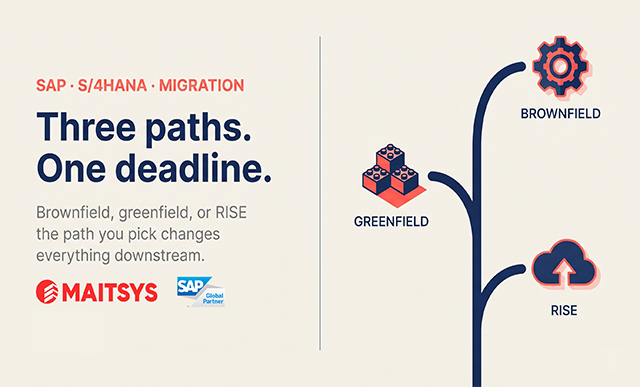
ECC to S/4HANA: Brownfield, Greenfield, or Selective Data Transition?To effectively transition from SAP ECC to S/4HANA, organizations must separately decide on their system transformation approach—whether through system conversion, new implementation, or selective data transition—and their operational model, with RISE with SAP primarily addressing the latter.
8 minute read

What Germany’s Unsigned AI Framework With SAP and Mistral MeansGermany and France announced a sovereign AI partnership with SAP and Mistral AI in November 2025, but the binding agreement planned for mid-2026 has not been signed. The sequence shows how public-sector sovereign AI plans move from announcement to commitment.
2 minute read