



Mar 16-19, 2026Las Vegas, Nevada, NV
SAP Design Studio
Featured Insiders
Upcoming Events
SAPinsider Las Vegas 2026
Related Vendors


SAP Design Studio
Over the last decade, analytics has become a major competitive differentiator across the world. SAP has been building a rich set of tools to put the power of analytics in the hands of every business user who needs it. SAP Design Studio is one such tool for creating advanced level applications and analytical dashboards using SAP Business Warehouse (SAP BW), SAP HANA, and Universe Data Sources. These interactive dashboards can be accessed on mobile devices like iPad, mobile phones, and tablets.
SAP tried to consolidate the tools by marrying SAP Design Studio with SAP Lumira. Further, SAP has announced that SAP Design Studio will no longer be supported for SAP S/4HANA versions. Even though SAP Design Studio can be used to maintain current apps, SAP recommends not using it for new app development and instead suggests SAP Web DynPro.
SAP Design Studio
Over the last decade, analytics has become a major competitive differentiator across the world. SAP has been building a rich set of tools to put the power of analytics in the hands of every business user who needs it. SAP Design Studio is one such tool for creating advanced level applications and analytical dashboards using SAP Business Warehouse (SAP BW), SAP HANA, and Universe Data Sources. These interactive dashboards can be accessed on mobile devices like iPad, mobile phones, and tablets.
SAP tried to consolidate the tools by marrying SAP Design Studio with SAP Lumira. Further, SAP has announced that SAP Design Studio will no longer be supported for SAP S/4HANA versions. Even though SAP Design Studio can be used to maintain current apps, SAP recommends not using it for new app development and instead suggests SAP Web DynPro.
Yet, for those customers still using SAP Design Studio for either SAP ECC or earlier versions of SAP S/4HANA, it is easy to create applications and advanced dashboards without any knowledge of HTML and UI5 programming. Here is an article which demonstrates how to Develop Custom Core Data Services in SAP S/4HANA Embedded Analyticsusing SAP Design Studio.
Applications and dashboards created using SAP Design Studio can be used with SAP BW, SAP HANA, and SAP BusinessObjects Business Intelligence platform in real time. This article instructs on how to use business intelligence consumer services (BICS) to connect SAP BusinessObjects client tools to SAP BW via SAP Design Studio.
Additionally, using the SAP BusinessObjects Design Studio software development kit (SDK), third-party custom components can be added in your application. These components can get data from different data sources to create advanced interactive visualizations by using charts, crosstabs, etc.
SAP Design Studio provides components that are grouped into the following:
- Analytic components like charts and cross tabs.
- Basic components like check box, date field, image, input field, list box, etc.
- Container components that enabling the grouping and structuring of various analytic and basic components of an application.
Each component can be “bound” to data from the above-mentioned data sources. When data in a data alias is changed, SAP Design Studio automatically updates all the components that are bound to that data alias.
This interview with an SAP BI specialist outlines the pros and cons of SAP Design Studio.
Many vendors such as Qlik and Pyramid Analytics have specialized solutions for high-quality analytics to drive transformation.
5 results

What’s New in SAP BusinessObjects Design Studio 1.6? Q&A on New Features, Deployment Options, Use Cases, and MoreMar 1, 2016 — A new release of SAP BusinessObjects Design Studio was announced at the end of last year, and with its many new features and enhancements, it’s being hailed as the most mature tool yet. But what exactly are these new features, and what can they do for your business? In this recent live Q&A with SAP […]
25 minute read
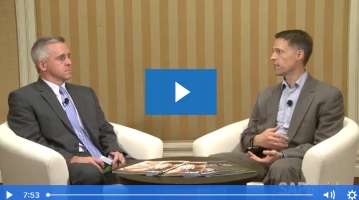
Live from SAPinsider Studio: Blair Wheadon on SAP Design Studio 1.6Jan 6, 2016 — Blair Wheadon, General Manager, Data Discovery, SAP, joins SAPinsider Studio during the 2015 SAPinsider Reporting & Analytics event in Las Vegas to discuss SAP BusinessObjects Design Studio 1.6 and SAP Cloud for Analytics. This is an edited transcript of the discussion: Ken Murphy, SAPinsider: Hi, this is Ken Murphy with SAPinsider. I am here at […]
4 minute read

How to Use the Bookmarking and Personalization Features of SAP Design StudioFeb 18, 2015 — SAP Design Studio 1.3 provides the ability to bookmark and personalize dashboards. The designer of the dashboard can integrate these additional functionalities into the design and give them to the consumers of the dashboard, providing them with a personalized viewing experience. Key Concept SAP Design Studio 1.3 gives designers the option to integrate the bookmarking […]
12 minute read

Integrating External Maps and Other Objects into BusinessObjects Design StudioDec 29, 2014 — Learn how to use the SAP Design Studio software development kit (SDK) to implement maps and other custom objects. Use HTML, Cascading Style Sheets (CSS), and JavaScript as well as the SAP UI5 library to develop the most useful functionality for your Design Studio applications. Key Concept The software development kit, or SDK, is a […]
12 minute read
SAP HANA Performance Monitoring Using Design StudioOct 21, 2014 — Learn the details around the process of developing and implementing SAP HANA performance monitoring using an application built by BusinessObjects Design Studio. Active performance monitoring is a vital measure for maintaining the stability of an SAP HANA system, and Design Studio offers the ideal capabilities to track the most important SAP HANA performance indicators. Key […]
15 minute read