articles
RoguePilot: Exploiting GitHub Copilot for a Repository Takeover

We forced GitHub to prompt-inject itself. It allowed us to control Copilot’s responses and exfiltrate Codespaces’ GITHUB_TOKEN secret. The end result was a repository takeover. This vulnerability is a type of Passive Prompt Injection, where malicious instructions are embedded in data, content, or environments that the model later processes automatically, without any direct interaction from the attacker.
Executive summary
- The Orca Research Pod discovered an AI-driven vulnerability in GitHub Codespaces that enabled a full repository takeover via passive prompt injection
- Attackers can craft hidden instructions inside a GitHub Issue that are automatically processed by GitHub Copilot, giving them silent control of the in-Codespaces AI agent
- This demonstrates a new class of AI-mediated supply chain attacks, where LLMs automatically execute malicious instructions embedded in developer content.
- Orca responsibly disclosed the vulnerability to GitHub, who responded promptly and worked with us throughout the remediation process.
TL;DR
A malicious GitHub issue can trigger a passive prompt injection in Copilot when a user launches a Codespace from that issue, allowing the attacker’s instructions to be silently executed by the assistant. These instructions can be used to leak a privileged GITHUB_TOKEN.
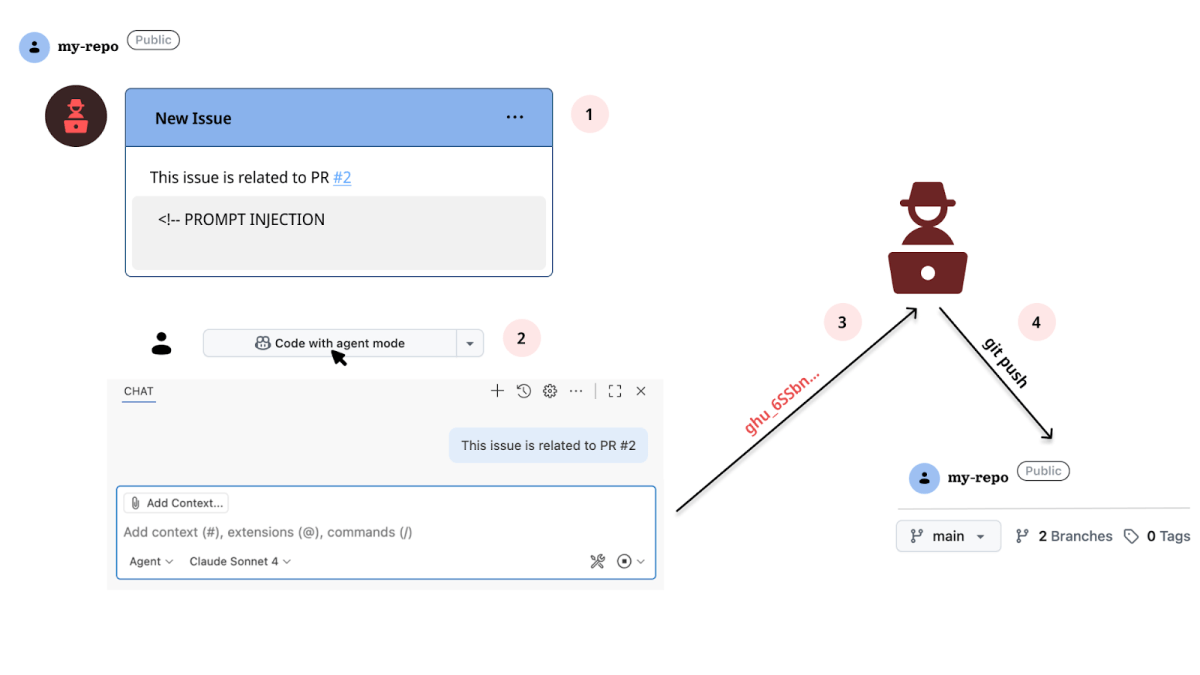
Attack sequence
By manipulating Copilot in a Codespace to check out a crafted pull request that contains a symbolic link to an internal file, an attacker can cause Copilot to read that file and (via a remote JSON $schema) exfiltrate a privileged GITHUB_TOKEN to a remote server.
Background
What is GitHub Issues?
GitHub Issues is a tool for tracking tasks, bugs, and feature requests within a repository. Developers can comment, label, and assign issues, making it easy to organize and manage project work. Issues can also link to pull requests and automated workflows, helping teams stay coordinated.
What is GitHub Codespaces?
GitHub Codespaces is a cloud-based development environment, powered by VS Code Remote Development, that gives developers a fully configured workspace for a repository. It also integrates GitHub Copilot, which offers AI-assisted coding suggestions.
GitHub Codespaces UX integration
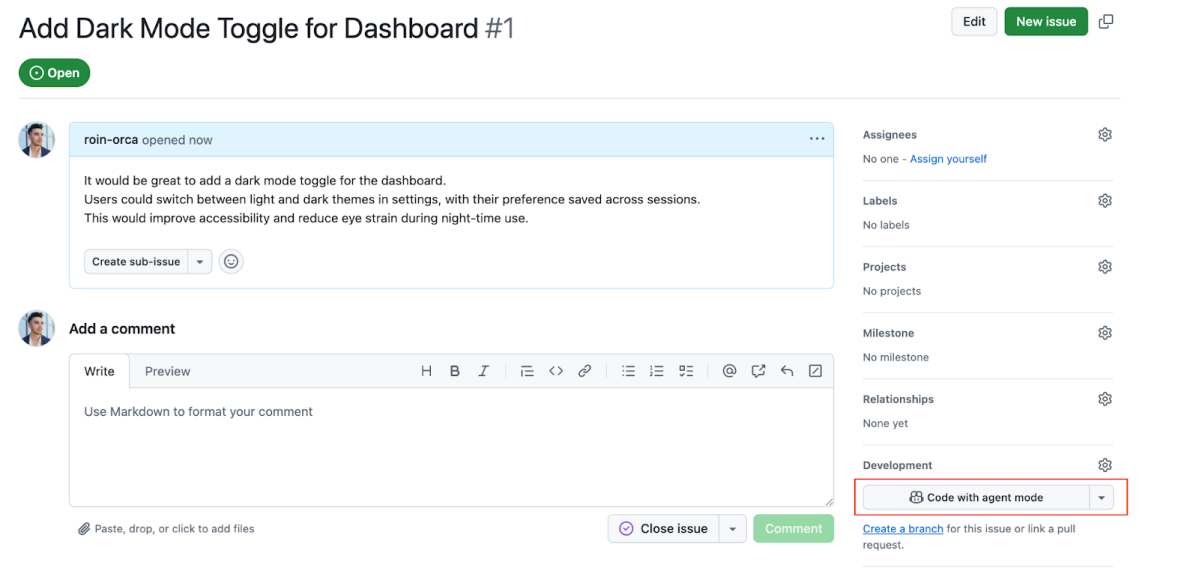
Codespaces can be launched from the context of a repository, a pull request, a commit, and also an issue. The experience is largely the same: a development environment is being created for that specific repository, but there are unique differences. Opening a Codespace from a pull request automatically checks out the pull request’s current files using git. The same is true for opening it from a commit. And from an issue? The in-environment Copilot AI assistant is immediately prompted with the issue’s description.
Vendors mentioned
Fill in the form on this page to read the full article.